


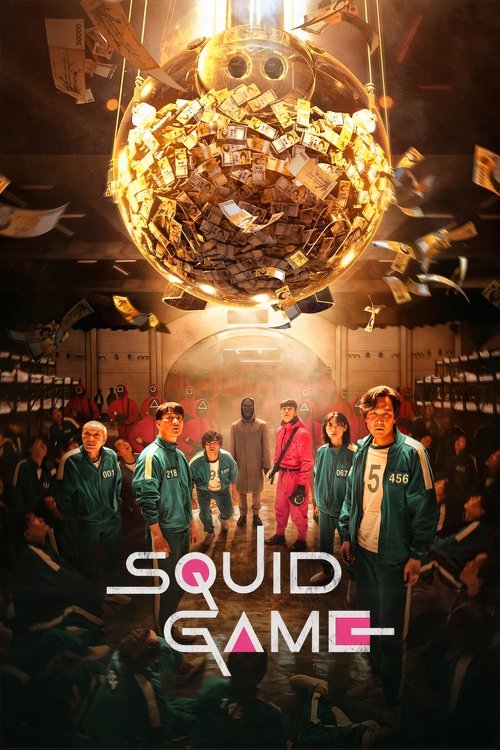
Squid Game
2021 · TV Series

2021 · TV Series
2022 · TV Series

2023 · TV Series
2024 · TV Series

2019 · Movie

2004 · TV Series

2026 · Movie

2026 · Movie

2026 · Movie

2026 · Movie
2026 · Movie

2026 · Movie
2021 · TV Series
2022 · TV Series
2023 · TV Series
2024 · TV Series
2004 · TV Series

2021 · TV Series

2026 · Movie

2026 · Movie
2026 · Movie

2026 · Movie

2023 · TV Series

1999 · TV Series
Open NovaFork on a phone or computer, keep a shortcut and understand what stays in your browser.
Read guide →Find movies and series with the main search, recover empty results and distinguish seasons from separate titles.
Read guide →Find a title from a remembered NovaFork address without confusing domains, apps or unconfirmed mirrors.
Read guide →Separate an empty search, failed page, missing artwork and a playback error before trying a fix.
Read guide →NovaFork movies and television
You do not always need another recommendation. Sometimes you need the name of the film you already chose, the right season of a series or a quick way to cut an overwhelming selection down to something manageable. NovaFork puts those decisions close to the search box. Enter a title, select a format or narrow a genre, then open the result that interests you. The catalog is there to help you make a choice, not keep you browsing indefinitely.
Movies and television share the same starting point, with separate pages when you want to explore one format. Title details bring the premise, year and related stories together. My List keeps the choices you want to revisit in this browser. Watch now leads to the title's viewing options on JustWatch, with a country setting for regional results. You can begin with a specific work or with a broad idea of the evening you want.
Maybe that means returning to Squid Game, finding its third season or trying a Korean film after finishing a series. Maybe it means a science-fiction movie with one complete story. This guide helps with those decisions and with the practical details that surround a watch: filters, editions, languages, picture quality, mobile access and getting back to the page you wanted after a connection problem.
A useful title search is usually shorter than the phrase you might enter into a general search engine. Inside NovaFork, try the film or series name itself. Extra words such as website, stream or online describe your intention but do not identify the work. If you remember only part of a title, begin with its most distinctive words and use the results to recover the rest.
The search can match the title or original title recorded in the catalog. That is helpful for films introduced under different translated names. Once a result seems plausible, check its year and format. A television adaptation can use the same name as a film, while a sequel may share most of its title with an earlier chapter. The synopsis helps confirm which one you found.
Leave the viewing offer until after that identification. It is easier to compare options when you know exactly what they need to provide. Our search and filters are for reaching the right record. The title's watch link then opens the place to inspect current viewing choices. Keeping those two steps distinct can prevent a long detour through offers for the wrong film.
Use a filter when you know something about the title or the kind of story you want. Format is a good first choice if you only want a movie or only want television. Genre helps when you have a mood in mind. A year can distinguish versions, but a guessed year may remove the very result you were hoping to find.
NovaFork's homepage gives you genre and format choices beside the main search, with release year and result order inside Advanced filters. Submit the search after making your selections. On the results page, you can revise those choices and try again. You do not have to get everything right before seeing any movies.
If nothing matches, remove the least certain restriction. Try the name alone before concluding that the catalog is empty. For a series, remember that the listed year usually describes when the programme started, not when every later season appeared. A season released recently can belong to a much older series record. The search guide explains these distinctions with short examples, so refining a result remains easier than starting an entirely new search elsewhere.
A trending selection can be a useful opening when you do not know what to type. Look at the titles that catch your attention and read a little more about one of them. Popularity can introduce a film; it cannot decide whether you want that particular story tonight. A demanding thriller and a light animated adventure might both be prominent while serving very different moods.
The trending page gathers titles in the NovaFork selection, while the homepage's featured-series area provides a smaller starting point. You can hide that featured group if you want a quieter search area and show it again when you feel like browsing. The purpose is to keep your next action clear, not insist that every visit begins with the same recommendation.
After finding one promising title, open its related suggestions. Those connections may be more relevant than a broad popular row because they start with a premise or genre you already liked. Save the strongest possibilities in My List and choose between them according to the time and company you have. You can enjoy the popular conversation without letting it replace your own interest.
A film offers a particular kind of commitment: one title, one planned stretch of time and a story you can usually consider as a complete viewing choice. That can be appealing between long television series or on an evening when you do not want to begin another season. The NovaFork movie catalog gives you a place to make that smaller decision.
Read the premise before judging a film by its genre alone. A thriller may be built around a pursuit, an investigation or a relationship under pressure. Science fiction can mean a vast world or a personal dilemma. A familiar label is a useful shortcut, but the situation at the centre of the story tells you more about what watching it will feel like.
If you are selecting a film for a group, agree on tone and attention rather than asking everyone to name a favourite. Some viewers may want to talk while watching; others may be ready for a film whose details matter. Neither is wrong, but they call for different choices. Keep another title saved if the first viewing offer does not include the language or edition you need, so the evening can continue without another long search.
Television gives a story room to change. A premise that looks simple in the first episode can become more interesting as relationships develop and choices accumulate. If that sounds appealing, explore TV series rather than choosing a film merely because its poster appeared first. Consider whether you want an ongoing mystery, a familiar comedy or a world you can return to over several evenings.
For a returning show, keep three details together: the series name, season and episode you last finished. A saved title is not the same as remembered playback progress. My List here keeps the programme available to revisit, while the actual player may manage its own position and episode history. That difference matters when switching services or devices.
For a new series, allow the opening episodes to introduce their world without immediately searching for explanations. Detailed recaps can reveal changes the programme intended you to discover gradually. Use the initial description to judge whether the premise appeals to you, then choose the season deliberately. A later season appearing prominently in a viewing interface is not necessarily the right place for a first watch.
Squid Game is a Korean drama about people drawn into a competition with far more serious consequences than its familiar games suggest. Its starting situation is easy to grasp, but its appeal depends on the people and decisions inside that situation. If you have only seen images or short clips, begin with the drama's main series entry rather than treating those moments as a complete introduction.
The Squid Game title page includes the series description, genre information and a save control. It uses the programme's 2021 starting year. Later seasons belong to that same series, so an older year beside the name does not mean the search led to a different work. Open the viewing options and choose the season you intend to watch.
Our Squid Game guide is especially useful if you arrived looking for Squid Game 3. It keeps the season question separate from the series identity and explains the difference between the drama and The Challenge. You can reach the intended programme without going through plot summaries that reveal the outcome before you have seen the episodes.
The phrase Squid Game 3 commonly refers to the drama's third season. Netflix identified it as the final season and released it on June 27, 2025. It is not a separate film that needs a movie record with a similar poster. Start with the television series and use the season selection on the service supplying the episodes.
That distinction makes searches such as NovaFork cc Squid Game 3 easier to understand. The address fragment describes where someone hoped to find the show; the number describes the season they wanted. Inside NovaFork, the Squid Game guide answers the season question directly. The title page remains the main drama record rather than being renamed for whichever season is currently in a conversation.
For the release context, see Netflix's season-three announcement. Avoid its deeper episode coverage until you are ready for spoilers. If you are midway through the story, note your last completed episode before opening the viewing destination. Finding the right season should not cost you the surprises that made you want to continue watching in the first place.
Squid Game: The Challenge uses a recognisable competition setting, but it is a reality programme rather than the scripted drama. It is not a fourth season, an English-language remake of the same episodes or a replacement name for season three. That distinction is worth making before comparing posters, because familiar clothing and games can make the two productions look closely connected in a quick search.
If you want to follow the fictional characters, choose Squid Game. If you want contestants taking part in a competition inspired by that setting, look for The Challenge by its full name. The NovaFork Squid Game guide links to searches for both productions so you can choose deliberately. There is no need to read an ending explanation to tell them apart.
Keeping the subtitle also helps when you share a recommendation. Sending someone “Squid Game” after discussing a reality episode can leave them looking at the wrong programme. Send the complete title and, when useful, the season you meant. A precise recommendation saves your friend a little searching and keeps the conversation about the same show.
Once a Korean drama catches your attention, another one does not have to repeat its games or visual style to be worth watching. Language is one connection between programmes, not a promise that they share a plot. Our Korean series collection lets you start with that connection and then compare what each show actually asks you to follow.
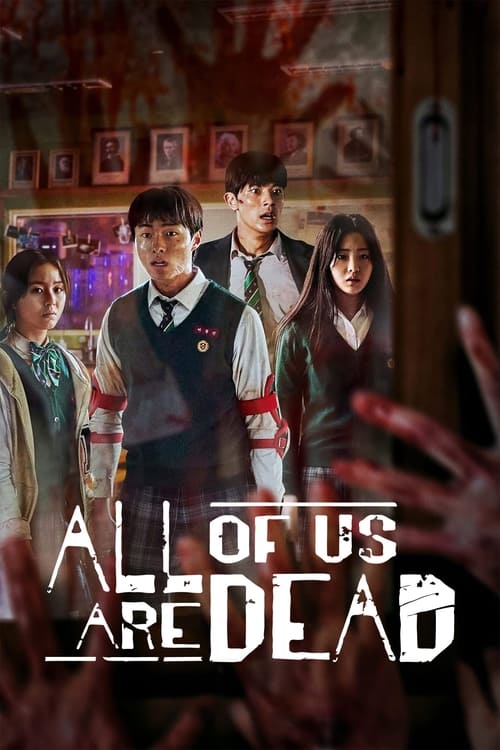
All of Us Are Dead places its characters in a school facing a zombie outbreak. It offers a different kind of pressure from Squid Game's competition, with the relationships and physical setting shaping the danger. A Shop for Killers moves towards action and a young woman's encounter with the hidden circumstances around a relative's life. Read their individual introductions before deciding which tension interests you more.
You may also find entertainment programmes in a broad Korean-language selection. They are not all scripted dramas simply because they share a language filter. Use the description, format and genre together. For a first episode, choose your preferred audio and subtitle arrangement at the viewing destination, then allow the characters a little time to become familiar. Recognising the relationships often matters more than immediately remembering every name.
Korean movies offer another way to continue after a series without committing to more seasons. Parasite begins with a family's opportunity to become involved in a wealthier household. The way that opportunity develops is part of the experience, so its short introduction is more useful before a first watch than a detailed description of the later turns.
Train to Busan puts an outbreak inside a journey, where the train's confined spaces and moving destination become part of the suspense. Memories of Murder centres on an investigation and the people trying to make sense of it. The Wailing builds a different atmosphere around disturbing events and uncertainty. These are not interchangeable recommendations simply because all can be grouped near a thriller shelf.
Choose the kind of attention you want to give the film. A journey under immediate threat feels different from an investigation that accumulates details. If you are watching with someone else, compare those situations before choosing. Our Korean film and series guide keeps a small number of starting points together, with direct links to their movie or television pages and the language questions that are useful before pressing play.
A strong science-fiction premise can make an unfamiliar world feel immediately interesting. In Silo, people live inside an enormous underground structure and questions about that life become difficult to ignore. In Dark Matter, an altered version of a familiar life gives the central character a very personal problem. One starts from a society's setting; the other from a person's disrupted circumstances.
Neither needs to be explained all the way through before you choose it. Read the opening situation and decide whether you want to spend time with the question it creates. If you want television, search those programme names. If you prefer a story for one sitting, open the science-fiction movie collection instead. Choosing format first can prevent a promising premise from turning into a longer commitment than you wanted.
Visual scale is only one part of this genre. A film can be compelling because of an idea, a relationship or a rule that changes ordinary life. Consider those elements alongside the artwork. Save a quieter possibility next to a large adventure and choose when you know how much attention you have. Your list can hold different moods without needing a single definition of what science fiction should be.
Genre describes a broad storytelling family. Country gives production context. Original language identifies the language associated with a film or series record. These filters can overlap, but they are not substitutes for one another. A Korean-language thriller and an English-language thriller share a genre while offering different casts, settings and dialogue. A production can also involve more than one country.
Start with the question you really want answered. For suspense, use the thriller or mystery collections. For films associated with a particular country, explore country browsing. For the sound and expression of an original language, use the language pages, then inspect the actual audio available when selecting a viewing offer.
The country you choose for viewing options serves another purpose: it helps find offers relevant to where you watch. It does not change a Korean film into a locally produced film or translate its dialogue automatically. Keeping browsing preferences separate from viewing location makes the site more predictable. You can explore cinema from anywhere while checking the edition and offer that make sense for your own evening.
A release year is especially useful when two titles share a name. It can separate a remake from an earlier film or a television programme from a movie. If you only remember approximately when you saw something, do not assume that was its original release year. A film can reach a particular service or audience much later.
Use release-year browsing to explore a period, and clear the year when an exact title search produces no match. For television, the main listing normally carries the year the series began. A new season belongs to that show rather than automatically becoming another title with the season's newer year.
The top-rated selection is another way to narrow the catalog. Scores displayed here come from TMDB's community, as labelled on the page, rather than being relabelled as IMDb scores. A rating helps compare reactions, not certify that a movie will suit every viewer. Read the premise as well. A highly rated slow mystery may be a poor choice for an evening when you wanted a short, easy comedy, and a less prominent film can still become your favourite discovery.
You can browse NovaFork, read title pages and keep My List without paying to explore the catalog. When looking for free movies online, the next question is whether a particular film has a free viewing offer in your country. The presence of its poster does not answer that question by itself.
Open the title's viewing options and look at the offer types. A film might be available with advertising, through a subscription, as a rental or as a purchase. Some options may cost nothing extra within a service you already use, while others involve a separate payment. Read the offer attached to the film rather than assuming that every title on the same service follows one arrangement.
If price is the deciding factor, keep a second or third film in My List. A flexible choice can be easier than spending the evening trying to force one specific release into a budget it does not currently fit. The story, language and available edition still matter, even when the price is zero. Check those details before settling in so that a free movie remains an enjoyable choice rather than merely the first offer you found.
High-definition streaming can reveal faces, scenery and fine detail more clearly when the film, service and screen support it. Full HD commonly refers to a 1920 by 1080 image. Consumer 4K usually refers to 3840 by 2160. Those terms describe picture dimensions; they do not guarantee that every copy of a movie has equal compression, colour or motion quality.
For a specific film, check the edition offered by the viewing service. A title available in 4K somewhere may appear in a different resolution on another offer, device or plan. Older source material and creative choices also affect the image. Grain is not automatically a connection failure, and a dark scene is not necessarily missing detail that a higher resolution would restore.
On a small mobile screen, stable HD can be a more comfortable choice than chasing the highest setting through repeated interruptions. On a large television, compare the actual 4K offer and supported device before starting. The picture-quality guide helps separate resolution, connection behaviour and display settings, so one unclear scene does not lead you to change everything at once.
Subtitles are not just a fallback when you cannot find a dub. They can be a preferred way to hear the original performances while following the dialogue in another language. With a drama such as Squid Game, that choice may help you stay close to the rhythm of a scene. Other viewers find a dubbed edition easier to follow, particularly when watching together or when reading the screen is tiring.
Choose the arrangement that works for you from the selected service's audio and subtitle menus. Language information on a NovaFork title page describes the work; the available viewing edition determines its actual tracks. If a particular subtitle language is essential, confirm it before committing to a rental or beginning a group watch.
Where the player offers subtitle customisation, try a size and background that remain readable through both bright and dark scenes. Captions can also describe sounds and identify speakers, which may be useful beyond dialogue translation. If text is out of sync, check another supplied track or reload that episode before changing unrelated device settings. Our subtitle guide separates missing tracks, readability and timing so you can address the problem you actually have.
On a phone, the first task is often finding the right title quickly. Type a distinctive part of its name, choose Movies or TV Series if you know the format and open the result. The homepage's featured titles can be hidden to leave more room for searching. Advanced filters stay optional; you can use the broad search without unfolding every setting.
For the movie itself, the selected viewing service may work in your browser or direct you to its supported app. Use the player's landscape orientation when that suits the picture and keep subtitles large enough to read. A phone can have a sharp screen while still being uncomfortable for small text. Headphones may help with dialogue when your surroundings are noisy.
If you are watching over mobile data, check your plan and the player's quality setting. The right balance depends on both the connection and the viewing time you have. You can make the title choice on your phone and watch later on another screen. Save or share the title deliberately, remembering that NovaFork's browser list and another service's watch history are different things.
A tablet gives posters and descriptions more room while remaining easy to pass between people choosing a movie. Use the list for a few agreed possibilities, then open the details of the strongest one. Rotation can make browsing or reading more comfortable, but the viewing player determines its own full-screen behaviour.
On desktop, a keyboard can make an exact search quick. Move between controls with Tab, enter the title and submit the form. Search filters work as selections rather than requiring you to remember a special command. Browser zoom can enlarge the article and menus when the default size is not comfortable. You do not need to read the entire homepage guide before reaching a film.
For a long viewing session, close distractions you do not need and check where sound is being sent. An external monitor may be selected for video while audio remains on another device. If the film opens on a separate service, change playback options there rather than looking for a second player inside the catalog tab. Keeping the browsing tab available can still be useful when you want to return to another saved choice afterward.
A Smart TV is often better at playing a selected film than entering a long title through an on-screen keyboard. You can use NovaFork on a phone or computer to decide what to watch, then locate the same film in a supported viewing app on the television. Keep the year and full title when a remake or similarly named series could cause confusion.
A television browser may display a page differently from a current desktop browser. Its remote, text entry and video support vary by model. The same applies to consoles: the apps available on a particular console determine the playback choices. A website bookmark does not make an unsupported service compatible with that device.
Where a service supports casting, use its own casting control and instructions. Ordinary screen mirroring and service-supported casting do not always behave identically. If a protected video does not appear through one method, check the service's supported TV approach rather than assuming the film is unavailable everywhere. The browser and screen guide helps plan that change from browsing device to viewing device without promising one universal setup.
Picture-in-Picture can keep a video in a small floating window while you use another part of the screen. Playback speed may help with a familiar programme, and keyboard shortcuts can make pausing or changing volume easier. These are features of the actual player and browser combination. Their availability is not established merely because a catalog links to the film.
Look for controls in that player's menu. Some players offer subtitle styling, audio descriptions, caption settings or alternate audio; others provide a smaller set of choices. If you are learning a language, a supported slower speed and readable subtitles may be useful. If you are watching a visually detailed film for the first time, full-screen normal-speed playback may be the better experience.
HTML5 video technology is widely used on the web, but naming it does not promise every browser feature for every service. Mozilla's Picture-in-Picture documentation notes compatibility limits. If a control is missing, check the player's help before treating its absence as a broken NovaFork search or an unavailable movie. The catalog and the playback window serve different parts of your visit.
When a film pauses repeatedly, it is tempting to search immediately for another streaming server. First identify where the interruption happens. If NovaFork's title description opens but the video on a viewing service stalls, troubleshoot that playback session. If the catalog itself cannot load, a server setting inside a different player will not repair the page you were trying to open.
Where a player offers automatic quality, it may adapt the bitrate as the connection changes. That can make the image softer temporarily without changing the film or its edition. Try a lower supported resolution if interruptions continue, pause other heavy network activity and see whether another programme on the same service behaves similarly. These observations help distinguish one problematic title from a broader connection issue.
Video services can use distributed delivery infrastructure, but a delivery label is not a guarantee of uninterrupted playback at your location. NovaFork's title pages provide viewing links; there is no hidden on-site streaming-server selector to unlock. The not-working guide gives separate steps for search, page loading and external playback, keeping the checks relevant to the part of the journey that stopped.
A useful watchlist does not have to contain every film that ever looked interesting. Keep the choices you genuinely expect to return to: the next episode's series, a film for a quiet evening and something that could suit a group. On a title page, use Save to add the film or programme, then visit My List to see those choices together.
The list is kept in this browser. That makes it available without creating a NovaFork account, but it also means a different browser, private session or device can have a different list. Clearing website data may remove saved titles. If something is important to keep beyond this browser, also retain its name or bookmark the title page.
Saving a series does not mark episodes watched or store a playback position. Record the last season and episode separately when you need that information. After a movie night, remove a choice if it no longer belongs on your shortlist, or keep it for a future rewatch. The point is to shorten your next decision, not turn choosing a film into another collection you feel obliged to complete.
If you searched for the NovaFork app, the simplest way to use this site is still its browser pages. Movies, series, search and My List are available without downloading a package from this website. You can bookmark the homepage or a title you return to regularly. Where your browser offers a home-screen shortcut, that can make reopening the site more convenient.
A shortcut and a native APK are not the same product. A home-screen icon may open a website; it does not automatically add offline films, account synchronisation or playback controls. This site does not provide a native NovaFork APK. A separately listed app with a similar name should be assessed by its own publisher and features, not assumed to be this website because the words match.
The NovaFork app page keeps the available browser approach clear. Apple explains saving a website in Safari, and Google explains web-app options in Chrome. Menu names can vary by browser and device. Keep the browsing shortcut separate from the viewing service's own app when that app is needed for a movie.
People often remember a website as a name plus a short address ending. That is why a search for NovaFork cc or NovaFork com movies may be an attempt to reopen a familiar page rather than learn about a new film. An address question and a title question need different answers: the domain concerns the website, while the movie or series name identifies what you wanted to watch.
If you have arrived here with a title already in mind, use the movie and television search directly. Adding an old address to that title is unnecessary inside the catalog. For a bookmark that no longer opens, the domain and access page explains how to separate an unavailable address from a missing result without guessing at a replacement hostname.
We do not publish a rolling list of alleged official mirrors. Similar names, familiar posters or a copied logo do not establish common ownership. Keep a working bookmark for the page you are actually using, and keep the film's full name as well. If an address changes later, that title information remains useful even when the old shortcut is not.
“NovaFork down” can describe several different experiences. The homepage might not open, a search might return no cards, a poster might fail to load, or a viewing destination might have a problem after you leave the title page. Note which one occurred before changing settings. Otherwise, you can spend time trying to repair a search that worked correctly while the interruption was somewhere else.
For an empty search, remove uncertain filters and try a shorter title. For a single missing image, open the title text if it remains available. For a page that does not load, note the exact address and visible message, then try an ordinary refresh. Avoid clearing all browser data as a first step, because that can remove useful saved choices without addressing the cause.
If the error says “account suspended,” the wording alone does not prove that your personal NovaFork account was suspended. Browsing and My List here do not require one. The message could concern the particular site or service displaying it. Our status page does not pretend to measure global uptime; it helps you identify the affected page and retain enough detail to explain the problem accurately.
A search for a NovaFork proxy or an unblocked address usually begins with a simple frustration: a page that used to open no longer does. A proxy is not a new season, a better subtitle track or a different edition of the film. Before changing how you reach a website, identify whether you need the catalog page or the movie's current viewing offer.
If NovaFork opens and the title is present, follow its named viewing options and set the appropriate country. If a particular network restricts a destination, consult that network's access information rather than assuming an unfamiliar mirror will solve every part of the problem. An old address can also fail for reasons unrelated to a local restriction.
Keep the actual movie or series name when trying another catalog. For a show, retain the season and episode separately. This makes your next attempt more precise than copying a long query containing several domains, a proxy term and a number that could mean either a season or a sequel. The access guide focuses on these distinctions without advertising unconfirmed replacement sites as permanent answers.
NovaFork has appeared in GitHub repositories and community conversations. Those references can explain why people recognise the name, but they serve a different purpose from searching for a movie. A repository is a code project. Its presence does not tell you which films a particular website currently offers or make every similarly named address the same service.
For a visitor who simply wants a series, you do not need to work through source files or repository issues. Use the catalog search and the title guide. If your interest really is the code, read the repository's own documentation and licence rather than assuming that a screenshot or shared name establishes how it can be reused. This website does not ask you to install a repository to browse its pages.
Community recommendations can still be useful for discovering a film or recognising an address someone remembers. Keep the date and context of a discussion in mind. A working link described months ago may not describe today's page, and one person's player settings may belong to a different service. Separate a useful title recommendation from an assumption that every technical detail will match your own visit.
A good NovaFork alternative depends on what you are trying to replace. If you want more movie suggestions, another catalog or a focused collection may help. If you want a specific film tonight, an offer for that film in your country is more useful than a long list of homepages. If you want a different subtitle language, compare the actual editions rather than the number of posters.
The alternatives page starts with those needs. Keep the full title and release year, then compare viewing choices for that work. You can also move from a requested series into related Korean titles, mystery television or science-fiction films here when the story is more important than continuing one exact show.
Searches for NovaFork alternatives Reddit often seek other viewers' experience. A recommendation becomes more helpful when it names the country, title and feature the person actually used. “Works for me” without those details may be sincere but difficult to apply. Your best choice is the one that supplies the film, language, device support and price you need now, not necessarily the site mentioned most enthusiastically in an older thread.
Before travelling, decide whether you need the movie itself offline or just a convenient reminder of what to watch. My List provides the reminder. A bookmark provides a quick way back to a page. Neither stores the film's video on your phone. For an offline movie, use a viewing service that offers a supported download for the selected title.
Check the download in the app where you will watch it. Confirm the episode or film, audio language, subtitles and any availability conditions before you lose your connection. A streamed edition and a downloadable edition may not expose exactly the same options. A short test of the downloaded item can prevent a much longer disappointment during the journey.
For television, choose the correct season before downloading episodes and consider the order you will want them in. Keep enough device space for what you need instead of assuming a whole series will fit because its catalog page loads quickly. The offline-viewing guide keeps these preparations separate from browser access, so you can use NovaFork for the choice and the supported viewing app for the download.
After finding a title that worked well, remember why it suited the evening. It might have been the tension of an investigation, the language of the performances or the convenience of a single film instead of another season. That is a better starting point for the next choice than expecting a new recommendation to reproduce the entire experience.
Use one relevant collection, read a few premises and save only the strongest possibilities. A Korean series can lead to a Korean film without requiring the same storyline. A mystery can lead to science fiction because both invite you to understand an unfamiliar situation. NovaFork keeps those ordinary browsing connections available through search, genres, language and related titles.
When you return to a programme, use its main entry and the season information you kept. When you want something new, leave room for a title you did not already recognise. You do not have to solve the entire catalog. Finding one film or episode that fits the time you have is a complete and worthwhile result.
When a programme surprises you, explaining why can accidentally remove the reason someone else would enjoy it. A useful recommendation can be shorter: the name, the kind of story and one reason its opening appealed to you. For Squid Game, the competition premise is enough to begin. You do not need to identify who reaches a later round.
Share a title-page address when possible, so the other person can see the year and format. Add a season number only when you are discussing a returning show. If you mean The Challenge, include that subtitle rather than relying on a familiar image. A clear name matters more than a long explanation when a franchise contains several productions.
For a group watch, ask about subtitle preferences and the time available before sending a viewing offer. The same recommendation can lead to different offers in different countries. Keeping the film details separate from the price or service makes the suggestion useful even when your friend cannot use the exact option you chose. It also leaves the plot where it belongs: in the film or episode you wanted them to experience.
Search the title or part of its name, then choose Movies if you want to exclude television. Genre, year and sorting controls help refine the results. Open a title to read its description, save it or check viewing options.
Yes. You can browse the catalog and use My List without creating an account. My List belongs to this browser, while a separate viewing service may have its own account requirements.
Start with the main Squid Game series entry and choose season 3 at the viewing destination. Netflix released the third and final season on June 27, 2025. It is not a separate Squid Game movie.
No. The Challenge is a reality competition. Squid Game is the scripted Korean drama. Use the full programme name so you reach the one you intended.
This site is available in a browser and does not distribute a native APK. A bookmark or a supported home-screen shortcut gives you quick access without installing a separate package.
A failed address does not identify one universal cause. Note the exact message and page, then consult the access guide. This site does not label unconfirmed replacement addresses as official mirrors.
This catalog does not ask you to install software or create an account to browse titles. Watch links open JustWatch viewing options. That describes this website, not every app or domain using the NovaFork name.
If the page opens but shows no matching titles, clear uncertain filters and search again. If the page itself will not load, treat that as an access problem. A viewing service's playback error is a separate issue.
Browsing NovaFork is free. Viewing prices depend on the title, offer and country. Check whether the selected offer is free with advertising, included in a subscription, rented or purchased.
Check the selected viewing edition for its resolution, audio and subtitles. The service, plan and device determine the available playback options; the catalog does not apply one quality setting to every title.
Title pages link to viewing options rather than an on-site player with switchable servers. Playback controls and buffering settings belong to the service playing the film or episode.
The list is stored in the browser where you saved the titles. It does not automatically synchronise between devices or record episode progress. Keep a separate note or bookmark for anything you need elsewhere.
Choose according to the title, language, country and device you need. For a specific film, compare its viewing offers. For another story, start with a focused collection instead of a list of unrelated homepages.
